
Food & Culture Stays Travel Essentials Travel Guides Trip Ideas
Categories
From the Blog
Remy’s Ratatouille Adventure at EPCOT: Ride Review, Tips & 2D Update
Travel Essentials

How to Photograph the Northern Lights with an iPhone

Learn step-by-step how to photograph the Northern Lights with an iPhone. Master Night mode, tripods, exposure tweaks, and composition for vivid aurora shots without pro gear.
Travel Essentials

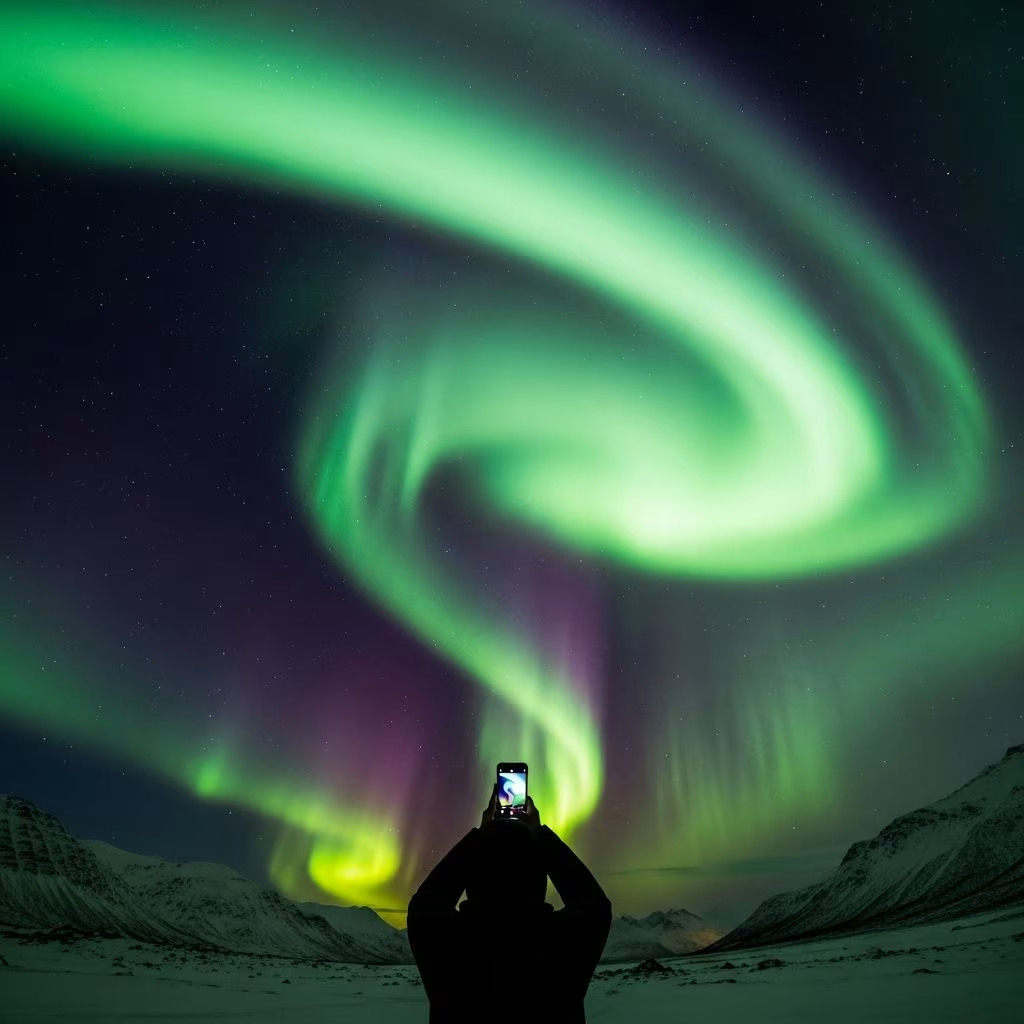
The Northern Lights, or Aurora Borealis, create one of nature’s most mesmerizing displays, painting the night sky in vibrant greens, purples, and reds. Modern iPhones make it possible to capture these elusive phenomena without bulky DSLR equipment. By leveraging built-in features like Night mode, anyone can produce sharp, colorful images right from their pocket.

Understanding iPhone Capabilities for Low-Light Wonders

iPhones from the 11 series onward excel in dark environments thanks to advanced computational photography. Night mode automatically kicks in during low light, stacking multiple exposures to reduce noise and brighten scenes. This is ideal for aurora hunting, where light levels fluctuate rapidly.

Key advantages include:

  • Automatic scene detection for optimal settings.
  • Gyroscope stabilization for handheld shots up to 10 seconds.
  • Wide dynamic range to balance sky glow with foreground details.

While dedicated cameras offer more control, iPhone simplicity suits travelers chasing unpredictable auroras in remote spots.

Essential Preparation Before the Chase

Success starts with planning. Check aurora forecasts via apps like Aurora Alerts or My Aurora Forecast, which use solar activity data from NOAA. Aim for clear, moonless nights in high-latitude zones like Iceland, Norway, or Alaska.

Pack these must-haves:

  • Portable tripod or stable surface.
  • Extra battery pack—cold drains power fast.
  • Gloves for touchscreen use in freezing temps.
  • Wide-angle lens clip-on for expansive skies (optional).

Dress warmly and scout dark-sky locations away from city lights to maximize visibility.

Step-by-Step Setup for Crystal-Clear Shots

Follow this sequence once the lights appear for reliable results.

1. Stabilize Your Device

Motion blur ruins long exposures. Secure your iPhone on a tripod at eye level or low to the ground for dramatic foregrounds like trees or lakes. No tripod? Lean against a rock or car hood. Use an Apple Watch for remote shutter release to avoid vibrations.

2. Launch Camera and Select Prime Lens

Open the stock Camera app—third-party apps add complexity without gains for beginners. Stick to 1x (main wide lens) for sharpest quality and field of view. Avoid zoom; it crops pixels and amplifies noise.

3. Activate and Customize Night Mode

The yellow moon icon auto-enables in darkness. Swipe up for controls:

  • Maximize shutter (10-30s on tripod).
  • Turn flash OFF—essential for natural colors.
  • Enable Live Photos for later edits if desired.

Test shots reveal if adjustments are needed.

4. Dial in Focus and Exposure

Tap sky for infinity focus (sharp stars). For foregrounds, tap subjects like mountains. Swipe exposure slider up/down post-tap for brightness tweaks. Brighter auroras need shorter times; faint ones demand max duration.

5. Compose for Impact

Rule of thirds: Place horizon low for overhead coronas or high for reflections. Include silhouettes for scale. Shoot bursts as lights dance unpredictably.

6. Fire and Review

Hold steady, snap, then zoom in preview. Iterate: Too dim? Lengthen exposure. Blown out? Shorten it. Limit to 20s max to dodge star trails from Earth’s spin.

Advanced Tweaks for Pro-Level Results

Beyond basics, refine output:

ScenarioShutter SpeedISO EquivalentTip
Bright, fast-moving aurora3-5sLow (auto)Handheld OK
Faint, static display15-20sMediumTripod required
With foreground10sAdjust exposure downTap to focus

Use ProRAW on iPhone 12 Pro+ for post-processing flexibility. Grid overlay aids composition.

Post-Capture Editing Essentials

Raw shots often need polish. In Photos app:

  • Boost shadows for aurora vibrancy.
  • Reduce highlights on bright greens.
  • Increase contrast/saturation subtly.
  • Crop/straighten horizons.

Apps like Lightroom Mobile offer curves for color grading. Avoid over-editing—preserve natural magic.

Common Pitfalls and Fixes

Blurry images: Always stabilize; wind shakes tripods—weight them down.

Washed-out colors: Lower exposure; flash kills auroras.

Missing lights: Verify forecast; patience pays—displays build over hours.

Overheating: Cold helps, but pause between bursts.

Best iPhone Models for Aurora Mastery

Newer sensors shine:

  • iPhone 14/15 series: Superior Night mode up to 30s, LiDAR focus.
  • Pro Max: 48MP for cropping, telephoto for details.
  • Older (11-13): Solid but tripod-dependent.

Where and When to Hunt Auroras

Peak season: September-March. Kp index 5+ signals strong shows. Prime spots: Tromsø (Norway), Reykjavik (Iceland), Fairbanks (Alaska). Apps track real-time.

FAQ

Can I shoot handheld?

Yes, for bright auroras under 10s; brace elbows.

Does cold affect iPhone?

It shortens battery; keep warm, use cases.

Android alternatives?

Similar night modes exist, but iPhone leads in consistency.

Selfies with aurora?

Front camera struggles; use main lens, timer.

Video possible?

Lock exposure in cinematic mode, but stills superior.

Ethical Aurora Photography

Respect nature: Stay on paths, minimize lights. Share locations responsibly to curb overcrowding.
References

  1. Photographing the Northern Lights With an iPhone (Best Settings) — jvn.photo. 2023. https://jvn.photo/photographing-northern-lights-aurora-borealis-with-an-iphone/
  2. How to Photograph the Northern Lights with an iPhone (2026) — Fjords and Beaches. 2026. https://www.fjordsandbeaches.com/how-to-photograph-northern-lights-with-iphone/
  3. How to Photograph Northern Lights – Exact Camera & iPhone Settings — Heart My Backpack. 2023. https://www.heartmybackpack.com/norway/how-to-photograph-northern-lights-my-top-tips-tricks/
  4. How to take Northern Lights photos with an iPhone — YouTube (Short). 2023. https://www.youtube.com/shorts/Ce_BHvkyczg
  5. Capturing the Aurora Borealis with an iPhone — MummyConstant. 2023. https://mummyconstant.com/capturing-the-aurora-borealis-with-an-iphone/
  6. How To Shoot The Northern Lights on Your Smartphone — YouTube (Short). 2023. https://www.youtube.com/shorts/bxv1UtXcmsI
  7. How to take Northern Light pictures with iPhone 14 Pro Max? — Apple Discussions. 2023. https://discussions.apple.com/thread/255133936
ME
medha deb
Medha Deb is an editor with…

Medha Deb is an editor with a master's degree in Applied Linguistics from the University of Hyderabad. She believes that her qualification has helped her develop a deep understanding of language and its application in various contexts. Medha specializes in the areas of beauty, health, sports, and wellness and is committed to ensuring that the content on the website is of the highest quality.Medha's passion for writing and editing began early in life when she joined a book writer's club with her mother. It was there that she discovered her love for the written word and the power it holds to inform, inspire, and transform lives. Since then, she has honed her skills as a writer and editor, working with a variety of clients and publications to produce compelling and informative content. Currently, she writes and edits for CultureTreker.She is also an ardent animal lover and dedicates her time and resources to the foster care of neonatal kittens, providing them with the love and attention they need to thrive. Her commitment to animal welfare is a testament to her compassion and empathy, and it underscores her belief in the importance of caring for the most vulnerable members of our society.

← Previous
Bozeman, Montana Travel Guide: Outdoor Adventures, Dining & Yellowstone Access
‹›