
 Travel Essentials
 Travel Essentials

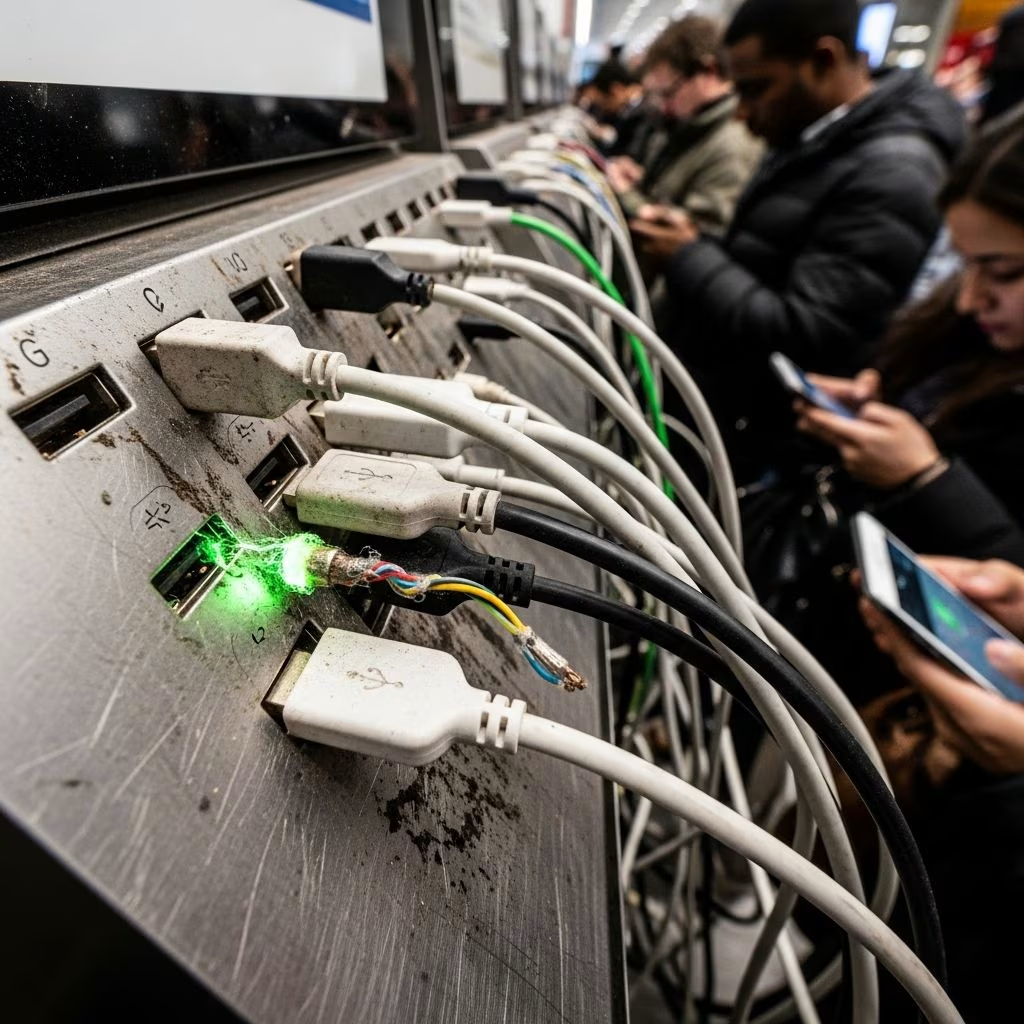
Learn the hidden risks of using borrowed or public chargers, from malware injection to juice jacking, and essential tips to protect your smartphone while traveling.
 Travel Essentials
In an era where smartphones are indispensable for navigation, communication, and payments, running out of battery can feel catastrophic, especially during travel. Yet, the seemingly innocent act of borrowing a charging cable or plugging into a public USB port carries substantial cybersecurity risks that could compromise your personal data or even seize control of your device. Cybersecurity professionals equate this vulnerability to sharing sensitive credentials, urging constant vigilance in public settings.
Modern USB cables serve dual purposes: delivering power and transferring data. This inherent design flaw makes them prime targets for exploitation. When you connect to an unfamiliar cable, malicious hardware embedded within can silently activate data transfer modes, siphoning off contacts, photos, banking details, and more without any visible signs.
Hackers exploit this by modifying standard cables with tiny chips that execute commands upon connection. These devices are compact, cost-effective to produce, and deployable in scenarios targeting specific individuals or opportunistic attacks in high-traffic areas. Unlike broad phishing campaigns, cable-based hacks offer precision, affecting one user at a time but with devastating impact.
Public charging kiosks in airports, malls, cafes, and hotels represent an amplified danger known as “juice jacking.” These stations, often compromised by inserting malware-altered USB ports, can infect multiple devices simultaneously. Once connected, your phone might install spyware that logs keystrokes, steals credentials, or establishes remote access for ongoing surveillance.
Incidents have surfaced where such stations granted attackers full visibility into connected gadgets, extracting everything from emails to financial apps. The allure of free, convenient power overrides caution, but experts warn that the trade-off is potentially irreversible data loss or identity theft.
Don’t assume safety from hotel front desks, restaurant staff, or fellow travelers. Cables in lost-and-found bins or offered by kind strangers may have circulated through malicious hands. A concierge’s spare cable isn’t vetted for tampering, and previous users could have been unwitting vectors for malware implantation.
Targeted attacks amplify this concern. Criminals might plant rigged cables in strategic locations, waiting for high-value marks like business travelers with access to corporate networks. The intimacy of the breach—equated by some to sharing undergarments—underscores the personal violation involved.
| Attack Type | How It Works | Potential Consequences |
|---|---|---|
| Malware Injection | Embedded chip executes code during connection | Installs spyware, ransomware |
| Data Exfiltration | USB data lines hijacked for silent transfer | Theft of files, passwords, photos |
| Remote Control | Backdoor established for ongoing access | Full device takeover, surveillance |
| Juice Jacking | Public port runs malicious firmware | Mass infection, credential harvesting |
This table illustrates the spectrum of threats, highlighting why passive charging isn’t truly passive when data pathways remain active.
These habits transform charging from a vulnerability into a routine safeguard, ensuring uninterrupted connectivity without compromise.
Cybersecurity firms have documented cases where public stations at major airports facilitated juice jacking, leading to widespread data breaches. Experts like those from cybersecurity consultancies emphasize that vigilance around peripherals mirrors core hygiene practices: treat every USB interaction as potentially adversarial.
In travel hotspots, the density of devices amplifies exposure. A single compromised cable at a busy lounge can cascade into corporate espionage if executives fall victim. Recent advisories from tech security groups reinforce that these threats are evolving, with hardware becoming cheaper and stealthier.
Beyond basics, consider solar-powered chargers for extended trips or wireless pads that eliminate cables altogether. For urban explorers, apps monitoring battery health can predict drain, prompting proactive management.
Hotels increasingly offer verified charging stations—request these over generic offers. In flights, personal adapters for seat power outlets provide isolation from shared systems.
Integrate cable caution into broader protocols: regular OS updates patch USB exploits, while full-disk encryption thwarts partial breaches. Biometric locks and remote wipe capabilities serve as last lines of defense.
Educate companions, especially families, on these risks to create collective awareness. Schools and workplaces now include such modules in digital literacy training, recognizing the ubiquity of mobile reliance.
Generally yes, if trusted and from a secure source, but verify no recent public use. Personal networks reduce but don’t eliminate risks.
A small dongle that blocks data pins in USB cables, enabling power-only charging. Available online or at electronics stores for a few dollars.
Primarily data-focused, but faulty malware could overload circuits, risking physical harm in rare cases.
Yes, they transmit power without data lines, making them a secure alternative where compatible.
Rising with USB-C ubiquity, though awareness curbs widespread incidence; vigilance remains key.
By prioritizing owned equipment and informed habits, travelers reclaim control over their digital lifelines. The minor inconvenience of preparation pales against the catastrophe of breached privacy. Stay powered, stay secure.